This site has limited support for your browser. We recommend switching to Edge, Chrome, Safari, or Firefox.

How to use Lightroom Presets on Photoshop

1. Copy Layer Background by using the keyboard shortcut. CONTROL + J 
2. On the Top Menu Select Filter > Camera Raw Filter... 
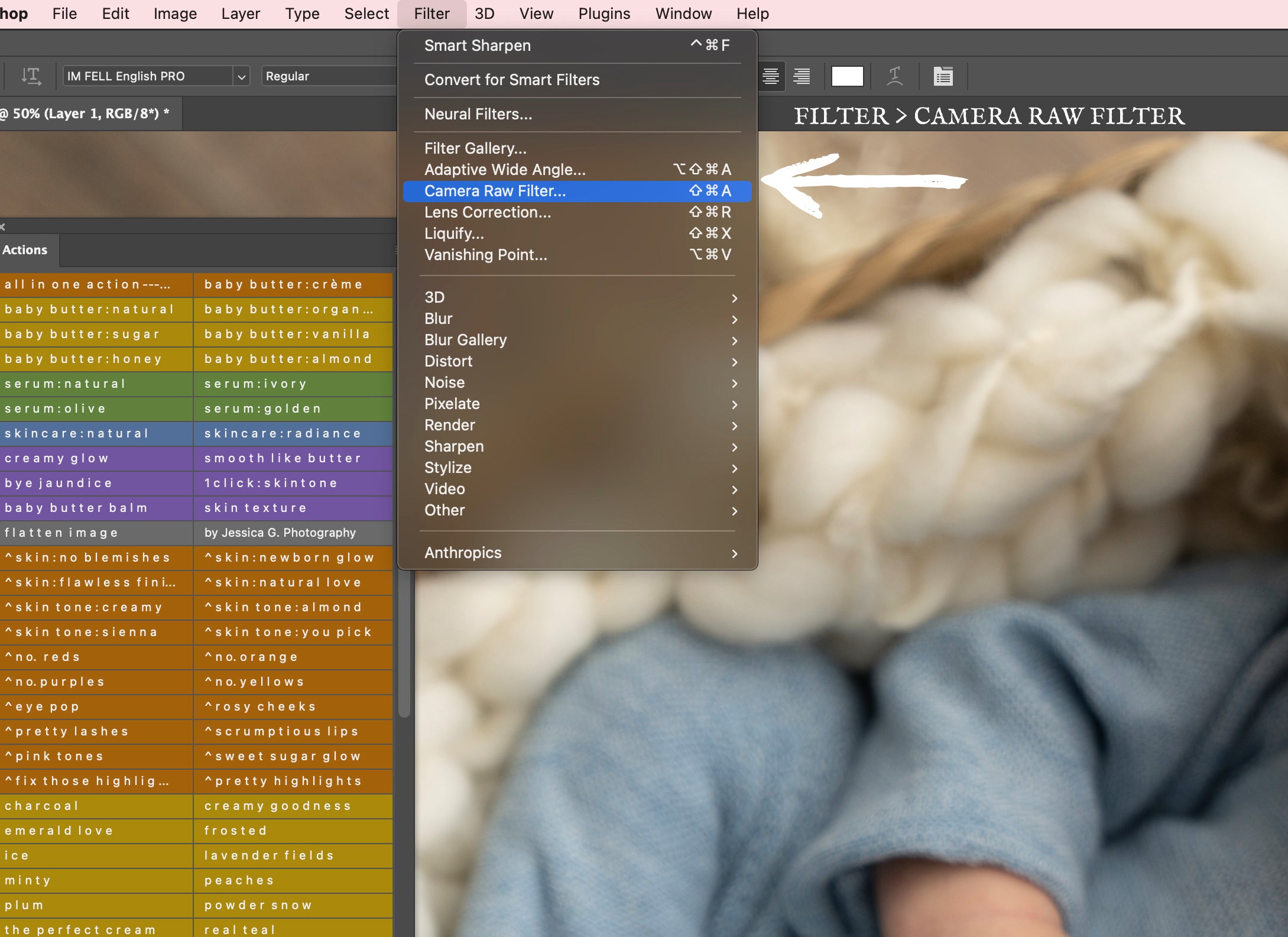
3. On Camera Raw Filter... select the presets tab. 
4. On the Presets tab make sure to have the "show partially compatible presets" turned on. 
5. Select your preferred preset and apply. 
6. Adjust layer opacity to your preference and merge layers/flatten image. 

Leave a comment

Please note, comments must be approved before they are published

Blog posts

Newborn Photography Props

Newborn Photography Props

As a Newborn Photographer for almost 15 years I always get asked, where did you get that? So, why not write a short blog with some of my favorite newborn...

Photography Studio - White Set up

Photography Studio - White Set up

so I shared about my vinyl floors in a facebook group and it went crazy. I tried to message everyone but now im locked out and can't send messages so...